
Stop guessing where your money went.
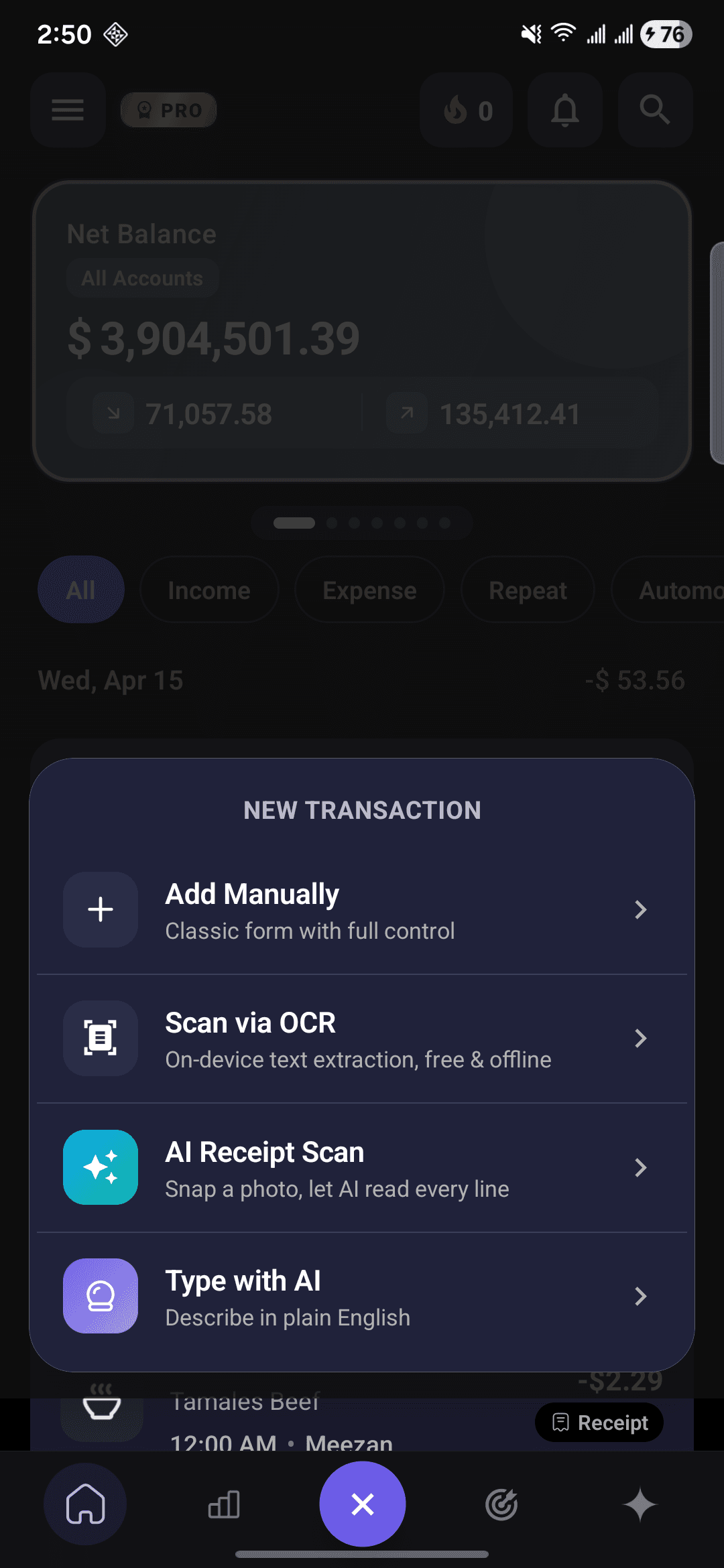
CashFlow AI turns plain-English messages like “spent $45 on groceries at Walmart” into tracked expenses, smart budgets, and real-time insights
Downloads
Transactions tracked
Play Store rating
Categories ready to go
Meet your money copilot.
Pro turns CashFlow AI into a conversation. Ask questions, generate charts, and let the agent draft transactions for you — always with your approval before anything saves.
- Ask anything about your money“How much on takeout last month?” “Am I on track for rent?” The agent reads your full history and answers instantly.
- Auto-generated chartsAsk for a pie by category, a bar by month, or a line of spending over time. The agent renders it right in the chat.
- Create, edit, and delete by chat“Add $18 uber from last Friday” — the agent drafts the transaction, you approve, it saves. No forms.
- Monthly AI insightsAt month-end, 3–5 personalized insights: spending patterns, savings tips, budget alerts, forgotten subscriptions, and a financial health score.
- Groceries$520
- Rent$1,400
- Coffee$128
- Transport$190
- Dining$260
Designed so you’ll actually use it.
The features below are the reasons people don’t quit after week two. Tap any card for the full story.
A simple rhythm: Capture · Categorize · Course-correct
Most budgets fail because the work is annoying. Ours is built around three steps that take seconds.
Every dollar, every day. Type it, speak it, or scan the receipt. The friction is so low you actually do it.
The AI sorts it in real time. You never touch a dropdown unless you want to rename something.
Live budgets, weekly nudges, and monthly AI insights turn the data into decisions — before you’ve overspent, not after.
From install to insight in under a minute.
No bank login, no 14-step onboarding. Set up once, type from day one.
Download the app
CashFlow AI is free on Google Play. Setup takes under 30 seconds — no bank login required.
Type what you spent
“coffee $5” • “rent $1,200 from checking” — any way you’d tell a friend. The AI handles amount, category, and account.
Watch the patterns emerge
Budgets, charts, alerts, and — with Pro — monthly AI insights that tell you exactly where to course-correct.
Stories from people who stopped guessing.
Freelancers, students, travelers, founders. One thing in common: they know where their money goes now.
“I used to dread expense season. Now I just type what I spent while I’m still at the cafe. Tax time takes an afternoon instead of a weekend.”
Sarah K.
Freelance Designer
“The Pro agent is wild. I ask ‘how much on coffee this year’ and it spits back a chart and the exact merchants. It’s like having ChatGPT for my finances.”
Michael R.
Software Engineer
“First budgeting app I’ve actually stuck with for six months. The daily nudge is just enough — not annoying, just present.”
Priya M.
Marketing Manager
“The budget alerts have saved me from overspending on food delivery more times than I’m proud to admit.”
David L.
College Student
“I log expenses in whatever local currency I’m in. The totals stay correct and my accountant actually thanked me.”
Emma T.
Travel Blogger
“Personal card, business card, cash. All side-by-side. The Pro insights caught a recurring charge I forgot about last month.”
James W.
Small Business Owner
“I used to dread expense season. Now I just type what I spent while I’m still at the cafe. Tax time takes an afternoon instead of a weekend.”
Sarah K.
Freelance Designer
“The Pro agent is wild. I ask ‘how much on coffee this year’ and it spits back a chart and the exact merchants. It’s like having ChatGPT for my finances.”
Michael R.
Software Engineer
“First budgeting app I’ve actually stuck with for six months. The daily nudge is just enough — not annoying, just present.”
Priya M.
Marketing Manager
“The budget alerts have saved me from overspending on food delivery more times than I’m proud to admit.”
David L.
College Student
“I log expenses in whatever local currency I’m in. The totals stay correct and my accountant actually thanked me.”
Emma T.
Travel Blogger
“Personal card, business card, cash. All side-by-side. The Pro insights caught a recurring charge I forgot about last month.”
James W.
Small Business Owner
Questions, answered.
The things people ask us most, in plain English.
The first expense tracker you’ll actually stick with.
Download CashFlow AI free. Log your first expense in under 10 seconds. See where you actually stand by the end of the week.
Free forever on Android · iOS coming soon