You don't really want to know which app is "better." You want to know which one will still be open on your phone three months from now, quietly doing its job.
That's the real question in any budgeting-app comparison. The features matter. The price matters. But the thing that actually decides whether your finances improve is which app you don't abandon by week three.
Cashflow AI and YNAB pick opposite sides of that fight. YNAB charges $109/year to enforce the envelope method through its UI — every screen nags you to pre-assign dollars. Cashflow charges ~$32/year for Pro (or $0 forever on Free), teaches you the same zero-based thinking at onboarding, and then trusts you to apply it while it handles the categorization, charts, and monthly insights. One enforces the method. The other teaches it and gets out of your way.
Which is better depends on a question nobody asks honestly enough: do you want to be nagged into a system, or do you want to learn it once and have an AI carry the weight?
The short version
- YNAB wins if: you want envelope budgeting enforced by the UI, US/Canadian bank sync, iOS + web, deep couples support, and you're willing to spend 20–30 minutes a week maintaining the budget itself.
- Cashflow AI wins if: you want 5-second entry, AI categorization, visual feedback loops that train your money awareness, a free-forever tier, and you're on Android today.
- Price delta over 5 years: ~$384 cheaper on Cashflow Pro, ~$545 cheaper if you stay free.
- Honest gap: Cashflow has no bank sync, no iOS yet, and no web app. Zero-based budgeting is taught, not enforced — which suits most people, but YNAB purists will want the rigor.
At a glance
The feature grid, no spin
| Feature | Cashflow AI | YNAB |
|---|---|---|
| Starting price | Free | $14.99/mo or $109/yr |
| Paid tier | $2.99/mo or ~$32/yr (Pro, 10% off annual) | $109/yr (single tier) |
| Free trial | Free forever on base tier | About a month |
| Platforms | Android (iOS waitlist) | iOS, Android, Web |
| Bank sync (Plaid) | ✕ | ✓ |
| Manual entry | ✓ | ✓ |
| Natural-language entry (AI) | ✓ | ✕ |
| Receipt scanning (AI) | ✓ | ✕ |
| AI chat agent | ✓ | ✕ |
| Monthly AI insights | ✓ | ✕ |
| Zero-based budgeting | Taught at onboarding | Enforced by UI |
| Envelope method (UI-enforced) | ✕ | ✓ |
| Visual progress bars + charts | ✓ | ✓ |
| Daily-visibility habit training | ✓ | ◐Partial |
| Savings goals | ✓ | ✓ |
| Multi-account | ✓ | ✓ |
| Multi-currency | ✓ | ◐Partial |
| Offline mode | ✓ | ✕ |
| Couples / shared budgets | ◐Partial | ✓ |
| Reports + forecasting | ◐Partial | ✓ |
Price, over the long run
Sticker price isn't the story with YNAB. The story is the cumulative cost when you imagine using either app for five years — which, if it's working, is what you'll do.
Three things to pull out of that chart:
- Pro is roughly $32/year — less than a third of YNAB. At $2.99/month with a 10% annual discount, Cashflow Pro costs you less in five years than YNAB does in eighteen months.
- The free tier is a real competitor. Most comparisons list Cashflow's free version as a footnote; it isn't. If your needs are "track spending, set budgets, see the charts," the free tier is the whole app. You can ignore the Pro price entirely.
- YNAB's $109 isn't crazy — it's a commitment device. YNAB frames its price as a filter for people who actually want to budget. Fair enough. But the same discipline is available for a tenth of the price if you're willing to be taught the method instead of nagged into it.
The budgeting philosophy, ELI5
Both apps believe in zero-based budgeting — the idea that every dollar should have a plan before you spend it. Where they diverge is in how they get you there.
YNAB's strategy is enforcement: the UI refuses to let you forget. Every screen asks you to assign dollars to categories before the month starts. Miss the ritual and the budget breaks. It's the envelope system, but in software.
Cashflow's strategy is education + visibility: onboarding teaches you what zero-based budgeting is and why it works, then the app hands you the tools — per-category caps, savings goals, progress bars, category breakdowns — and trusts you to apply the thinking. The bet is that adults who understand why a method works don't need to be nagged into doing it.
Think of your paycheck as a pizza. YNAB makes you slice the whole pizza on Sunday night onto labeled plates before anyone eats. Cashflow shows you, every time you open the app, exactly how much of each plate you've already eaten — and teaches you at setup that running a plate dry is the signal to slow down, not to grab from nowhere.
YNAB nags you into the method. Cashflow teaches you the method and then shows you the data often enough that you internalize it. Both can work — the question is which one you'll actually keep doing.
There's a specific mechanism Cashflow leans on heavily: visual repetition. You open the app, you see your spending-by-category chart. You see the progress bars. You see how much is left. Every day. Over weeks this rewires how you think about money — not because anyone lectured you, but because you've stared at your own data 200 times. That's a trained habit, not a discipline tax.
Neither philosophy is right in the abstract. They solve different people:
- If you need external enforcement to stay on plan — accountability, structure, a system shouting at you — YNAB's method is more rigorous and the guardrails are real.
- If you need low friction to stay consistent, and you trust yourself to apply good principles once you've been shown them, Cashflow's teach-and-visualize approach is the one you'll still have on your phone a year from now.
If you've tried YNAB before and bounced, that's a real signal. For most people, the method isn't the problem — the maintenance burden is. Cashflow is designed for that reality.
Speed and friction
This is where Cashflow AI is doing something YNAB fundamentally doesn't.
Log an expense in Cashflow:
"spent $42 on groceries at Trader Joe's"
Type. Hit send. The AI parses the amount ($42), the merchant (Trader Joe's), the category (groceries), and the account (whatever you use by default). Done. ~4 seconds from thought to logged.
Log the same expense in YNAB: open app, tap "add transaction," enter amount, pick category from dropdown, type or pick payee, pick account, save. Call it 15–20 seconds on a good day. More if you're reconciling a recent transaction from bank sync.
Those 15 seconds don't sound like much. Multiply by 8–12 expenses a day for a year and it's hours. More importantly, the friction is per-decision. Every dropdown is a tiny chance for you to say "I'll do it later" and skip it — and the cumulative "later" is how tracking dies in week three.
Cashflow's bet is that friction kills budgets, and the app is designed around that single claim. YNAB's bet is that friction is a feature — the act of manual categorization reinforces the method. Both are internally consistent. They just serve different users.
Where YNAB genuinely wins
Four things YNAB does today that Cashflow doesn't. Honest list, not a bragging one.
YNAB's real advantages over Cashflow today
Pros
- iOS and web, not just Android. If you're on iPhone and need an app this week, YNAB is the only pick between the two.
- Bank sync via Plaid. US and Canadian users can auto-import transactions; Cashflow requires entry (AI-parsed, receipt-scanned, or typed).
- UI-enforced envelope discipline. If you want the app to stop you from spending money you haven't assigned yet, YNAB does that; Cashflow trusts you to apply the method yourself.
- Deeper couples support — shared budgets with partner-specific workflows. Cashflow's shared account works, but YNAB has a head start here.
Cons
- $109/year, single tier. More than 3× Cashflow Pro and no free tier.
- Real learning curve — most users report 2–4 weeks before the method clicks. Week one feels like failing.
- No AI entry, no receipt scanning, no chat agent, no monthly AI brief. Manual budgeting is the whole experience.
- Weekly-to-daily maintenance is mandatory. Skip a month and the budget drifts so far you have to rebuild it.
- Multi-currency is limited and awkward outside the US/CA/UK corridor.
If iOS, bank sync, or UI-enforced envelopes are dealbreakers for you — pick YNAB. Everywhere else, the comparison gets interesting.
Where Cashflow AI wins
Cashflow's real advantages over YNAB today
Pros
- Free-forever base tier. Unlimited accounts, unlimited budgets, basic analytics — for $0/year. YNAB has no equivalent.
- Pro at $2.99/month (~$32/year with the annual discount) — less than a third of YNAB's price.
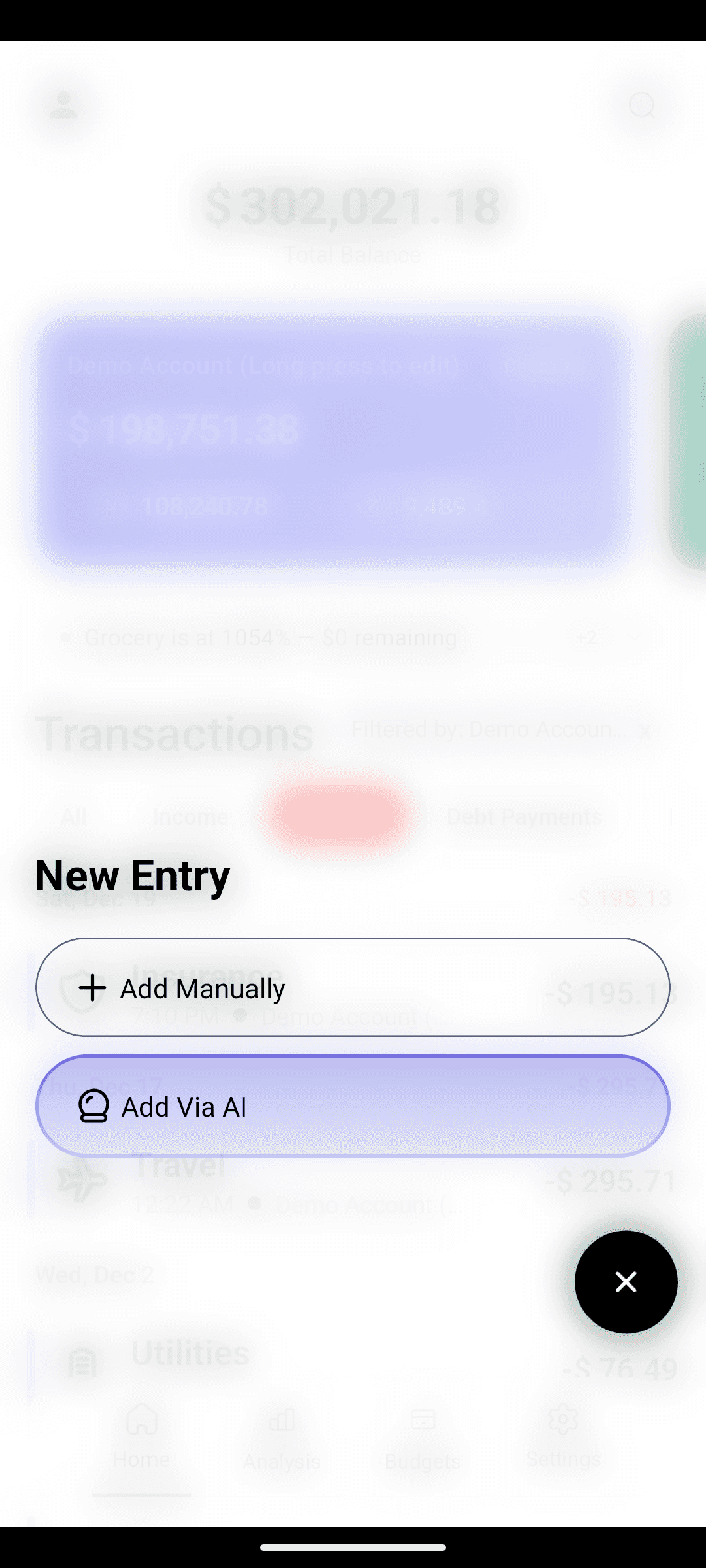
- AI natural-language entry. 'coffee $5' or 'rent 1200 from checking' — the app handles amount, merchant, category, account. Biggest friction reducer in the space.
- AI receipt scanning via vision models. Snap, done. No typing.
- Pro AI agent — ask 'how much did I spend on coffee this year' and get back a chart and a transaction list. Charts on demand.
- Monthly AI insights. 3–5 personalized observations at month-end: patterns, forgotten subs, a financial health score. YNAB doesn't play in this space at all.
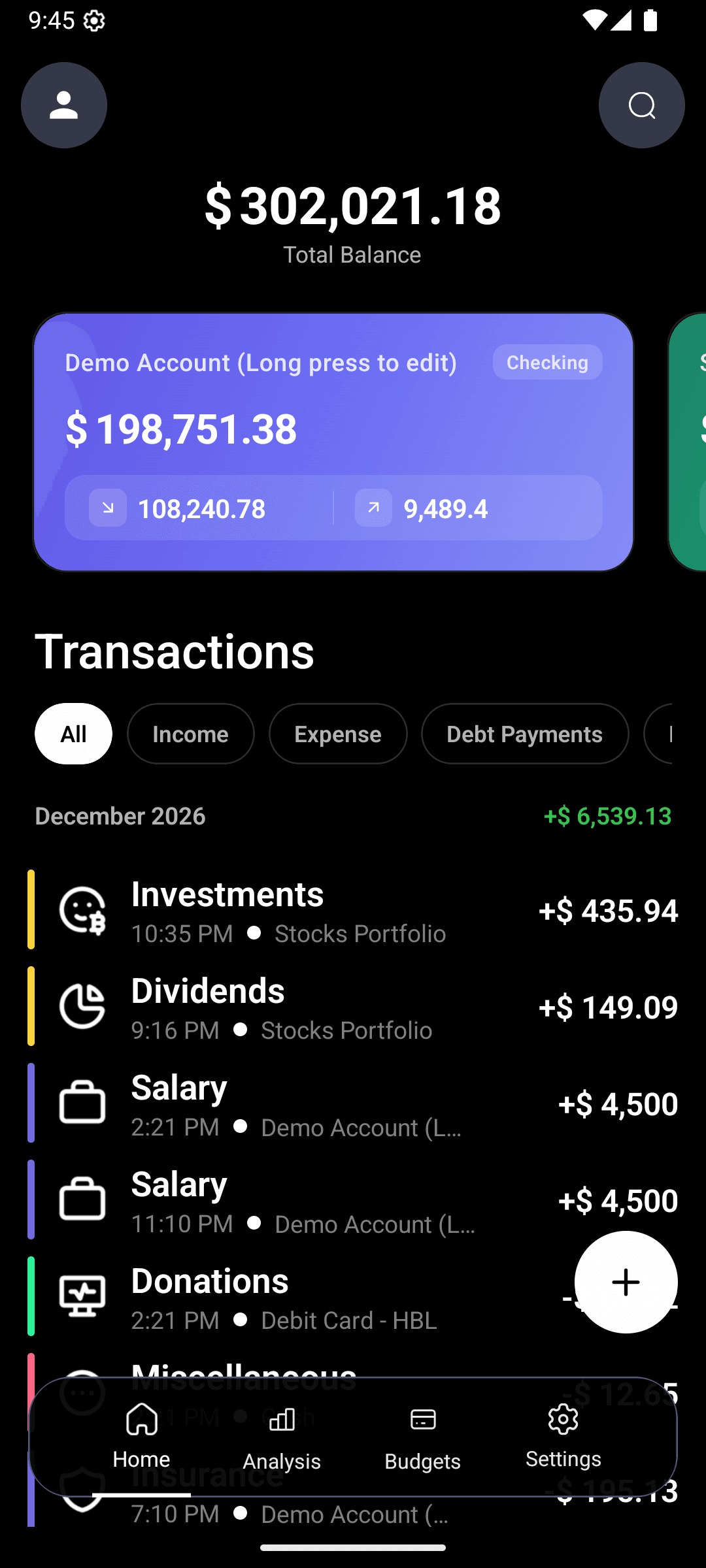
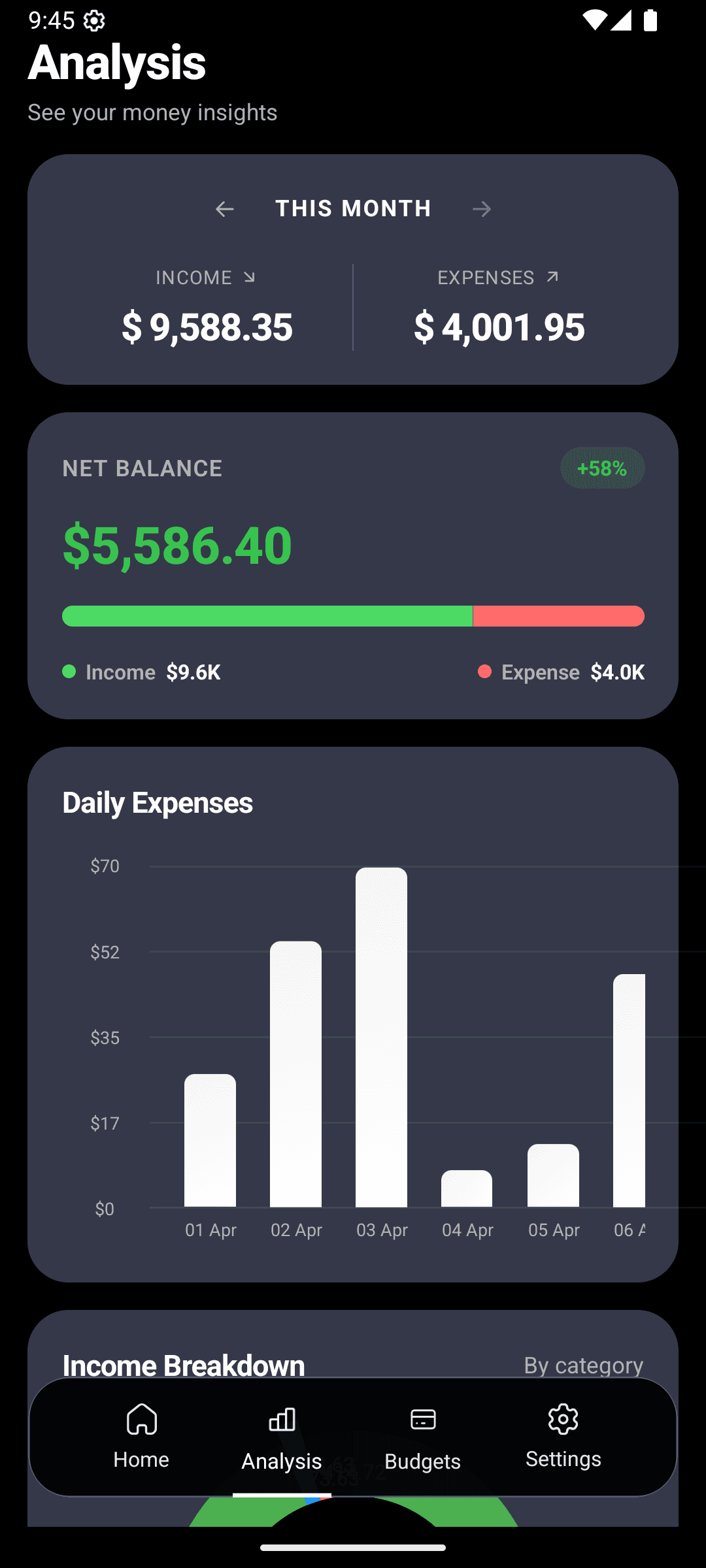
- Visual habit training by design. Progress bars, category breakdowns, and savings-goal charts are front-and-centre every time you open the app. Daily visibility is the mechanism — repeated exposure to your own data rewires how you think about spending.
- Zero-based budgeting taught at onboarding. You learn the method once; you don't get nagged into it forever.
- Offline mode. Queue entries locally, sync when back online.
- 14 accent colors, full dark mode, a UI you'll actually want to open.
- No bank credentials handed to anyone — ever.
Cons
- Android only today; iOS is on the waitlist.
- No web app — everything runs on your phone.
- No bank sync. Every entry is AI-parsed, receipt-scanned, or typed. If you want auto-import, Cashflow isn't the right pick right now.
- Zero-based budgeting is taught, not UI-enforced. For most people that's the right call; YNAB purists who want guardrails may miss it.
The AI question
This is the axis that's going to reshape this entire category over the next two years, so it's worth separating out.
YNAB has — generously — zero meaningful AI features at the time of writing. Categorization is rule-based. Reports are static. There is no chat, no natural-language entry, no monthly brief, no receipt parsing. That's a defensible choice — YNAB is a method-first product and bolting AI onto it without reshaping the method would feel like theater. But it's a fact.
Cashflow AI is, well, the name. The AI does four concrete jobs:
- Entry — plain-English messages become structured transactions. Most visibly different from YNAB.
- Understanding — the Pro agent reads your full transaction history and answers arbitrary questions. "How much did I spend on dining out last year, and how does that compare to the year before?" — a chart and a number come back in seconds.
- Reflection — the monthly insights engine writes a 3–5 bullet brief at month-end: forgotten subscriptions, merchant drift, category trends, a financial health score.
- Habit training — the app nudges you to keep looking at your charts, progress bars, and savings goals. Not as busywork — as deliberate repetition. The more you see your own spending broken out visually, the faster your mental model of your money updates. That's a feature, not decoration.
Plenty of people have budgeted well without AI for decades. But if you've bounced off three trackers because the manual upkeep broke you, the AI layer is doing load-bearing work nothing else in this category offers yet.
Couples and shared budgets
If you and a partner share one budget and want simultaneous editing + partner-specific views, YNAB is the more mature option today. Cashflow works for shared accounts, but the purpose-built couples UX is on the roadmap, not shipped. Honest gap — if that's your primary use case, don't buy Cashflow expecting it this quarter.
Learning curve and maintenance
YNAB has a real ramp. Most users report two to four weeks before the method clicks, and week one often feels like failing. Miss two weeks of maintenance and the budget drifts so far people rebuild it from scratch or quit.
Cashflow flips that: onboarding teaches you zero-based thinking in a few minutes, then the app stays out of your way. Miss a week? The charts still work. Type your next expense. The monthly AI brief catches drift without requiring a weekly ritual. The trade-off: there's no system yelling at you when you slide. For most people that's fine — the visual feedback loop does the work. For people who genuinely need external enforcement, YNAB is the more dependable guardrail.
Try Cashflow AI free — log an expense in under 5 seconds.
Free-forever base. Pro from $2.99/month (~$32/year with annual discount). Android today, iOS soon.The verdict
Both apps solve the same problem. YNAB solves it by forcing the method on you. Cashflow solves it by teaching the method, cutting the price, removing the friction, and betting that daily visual exposure does more for long-term behavior than weekly guilt. Pick the one that matches how you actually operate.
Frequently asked questions
Is YNAB worth $109 a year?
Only if you specifically need the UI to enforce envelope budgeting and you're willing to maintain it weekly. Otherwise $109 is a steep price for a method you can learn once and apply in any tracker. Cashflow Pro runs ~$32/year with the annual discount — less than a third — and teaches the same zero-based thinking at onboarding.
Does Cashflow AI do zero-based budgeting like YNAB?
Yes, in philosophy. Cashflow teaches zero-based budgeting during onboarding, then gives you the tools — per-category caps, savings goals, live progress bars, category breakdowns — to apply it yourself. The difference is discipline delivery: YNAB enforces the method through the UI; Cashflow teaches it and trusts you to run with it. If you want hard guardrails, YNAB. If you want the method plus everything else Cashflow adds, Cashflow.
Can Cashflow AI connect to my bank like YNAB can?
No. Cashflow is manual-entry + AI-parsed + receipt-scan — you never hand over a bank login. YNAB offers Plaid-based sync in the US and Canada. If auto-import is non-negotiable for you, YNAB wins on this axis today.
Is Cashflow AI on iOS?
Not yet. Android is live on Google Play; iOS is on the waitlist. If you need an iPhone app this week, YNAB is the safer pick. Once iOS ships, the comparison is closer to even on platform.
Does Cashflow actually help me build the budgeting habit?
Yes, deliberately. The app nudges you back to your charts, progress bars, and savings-goal visuals every time you open it. That daily visual repetition is the mechanism — the more you see your own data broken out, the faster your mental model of your money updates. It's how the method you learned at onboarding becomes automatic behavior a few weeks in.
Keep reading
- Zero-based budgeting, explained — the method YNAB popularized, and how to apply it in any tracker.
- The CashFlow AI method — capture, categorize, course-correct.
- How to track expenses without spreadsheets — where an AI-first tracker fits.
- Why reviewing your stats is the real habit — the 2-minute weekly review that matters more than the budget itself.