Sinking funds are the most underrated budgeting tool in personal finance. They solve a problem that wrecks most budgets: irregular expenses that you know are coming but don't land every month.
Car insurance due every 6 months. Holiday gifts in December. Annual subscriptions that quietly auto-renew. Property tax in April. The oil change your car needs every 5,000 miles. None of these are emergencies — you can see them coming from miles away. But if your budget only plans for the current month, they look like emergencies when they hit.
A sinking fund is the fix: you divide each of these expenses by the number of months until they're due, and you save that amount every month. By the time the bill arrives, it's already funded.
This guide shows you how to set them up, which expenses are worth a sinking fund, and the exact monthly math.
The short version
- Sinking funds = savings for known, irregular expenses.
- Divide the total cost by the months until it's due. Save that amount monthly.
- Keep them in a HYSA, separate from the emergency fund.
- The first time you don't panic about an insurance renewal, you're hooked.
What a sinking fund actually is
The name comes from corporate finance — companies "sink" money into a dedicated fund to prepare for a known future liability. Personal finance borrowed the term for the same idea, one scale down.
A sinking fund has three properties:
- Dedicated purpose. The money is mentally (and ideally physically) earmarked for one specific expense.
- Regular contribution. Same amount, same date, every month.
- Finite timeline. Either the fund cycles (holiday fund refills every year) or terminates when the expense is paid (down-payment fund, wedding fund).
You can run sinking funds inside a single bank account — they're just categories in your budget app, not separate physical accounts — or you can use a bank that supports sub-accounts to make it visual. Both work.
The expenses worth a sinking fund
Here are the categories most people should have a sinking fund for. Start with the top 3–4 on this list; add the rest as they come up.
The high-leverage four
These four catch most of the chaos in a typical household budget.
1. Car expenses
Beyond the monthly loan/insurance, cars eat money in bursts:
- Registration/inspection: $50–$300/year
- Maintenance (oil, tires, brakes): $600–$1,200/year
- Repairs (the "it just happened" stuff): $500–$1,500/year average
Total: roughly $100–$200/month in a dedicated car sinking fund covers most households. Owners of older cars should budget the high end.
2. Insurance premiums (non-monthly)
Many policies — homeowners, renters, auto, umbrella — bill every 6 months or annually, and at much higher totals than the monthly rate would suggest. Example:
- Auto insurance: $900 every 6 months = $150/month
- Homeowners: $1,800/year = $150/month
- Umbrella: $300/year = $25/month
Sinking-fund contribution: total of all non-monthly premiums ÷ 12.
3. Holidays + gifts
The single biggest budget-buster for most people. Christmas, Hanukkah, birthdays, anniversaries, weddings you're invited to — all of it.
Rough numbers:
- Christmas for a family of 4: $600–$1,500
- Birthdays (kids, spouse, parents): $200–$600/year
- Weddings you attend: $100–$300 each (plus travel, if applicable)
Total: $75–$200/month for most households, more if you have a large family.
4. Travel
If you travel once or twice a year, you know trips don't come out of the monthly budget. A $2,400 vacation is $200/month across the year.
Total depends entirely on your travel habits. Be honest about what you actually spend — not what you'd like to spend.
The second tier (worth a fund if they apply to you)
- Medical deductibles. For high-deductible plans: (annual deductible + expected out-of-pocket) ÷ 12.
- Property tax. If you own property and pay taxes separately from mortgage escrow.
- Annual subscriptions. Software, domain renewals, memberships. $5–$50/month typically.
- Home maintenance. Rule of thumb: 1% of home value per year. $400K home → $4,000/year → $333/month.
- Pet expenses. Annual vet, grooming, medications. $30–$100/month for most pets.
- Clothing. If you buy seasonally instead of monthly. $30–$80/month.
- Kids' activities. Camps, sports seasons, school fees. Highly variable.
- Tech/appliances. Laptop replacement every 4 years = $500 ÷ 48 ≈ $10/month per device.
The math: a worked example
Let's set up sinking funds for a household with average irregular expenses.
| Sinking fund | Annual total | Monthly contribution | |---|---|---| | Car (registration, maintenance, repairs) | $1,500 | $125 | | Auto insurance (6-month premium × 2) | $1,800 | $150 | | Homeowners insurance (annual) | $1,500 | $125 | | Christmas + gifts | $1,200 | $100 | | Travel | $2,400 | $200 | | Annual subscriptions | $240 | $20 | | Home maintenance | $2,000 | $167 | | Total | $10,640 | $887 |
$887/month into sinking funds. On a $5,000/month take-home, that's 17.7% of net income going to smooth irregular expenses — which is exactly what makes a budget sustainable. Without these funds, that $10,640 becomes a series of 7 or 8 "surprise" bills over the year that each threaten the monthly budget.
The first time you realize you have the money to pay for a $1,800 insurance renewal without stress, sinking funds sell themselves.
How to set them up in CashFlow AI
- 1
List every non-monthly expense you expect this year
Pull up last year's bank statements. Note every bill that wasn't one of the monthly regulars (rent, utilities, groceries, etc.). Add up each category's yearly total.
- 2
Divide each by 12 (or by the months until the next bill)
A January insurance renewal in July means you'd want to save the full amount in 6 months — premium ÷ 6, not ÷ 12. For recurring funds like holidays or car maintenance, always use ÷ 12.
- 3
Create a category for each in CashFlow AI
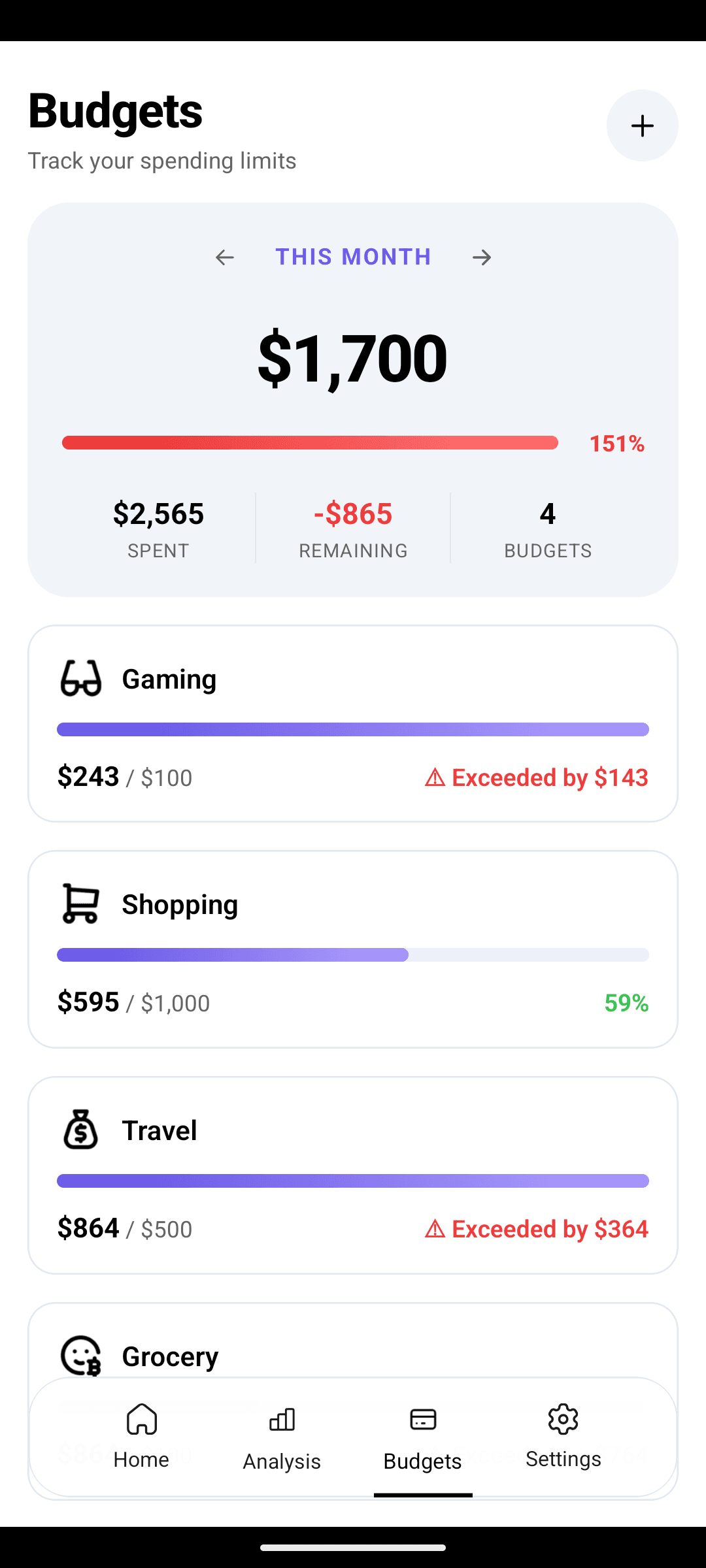
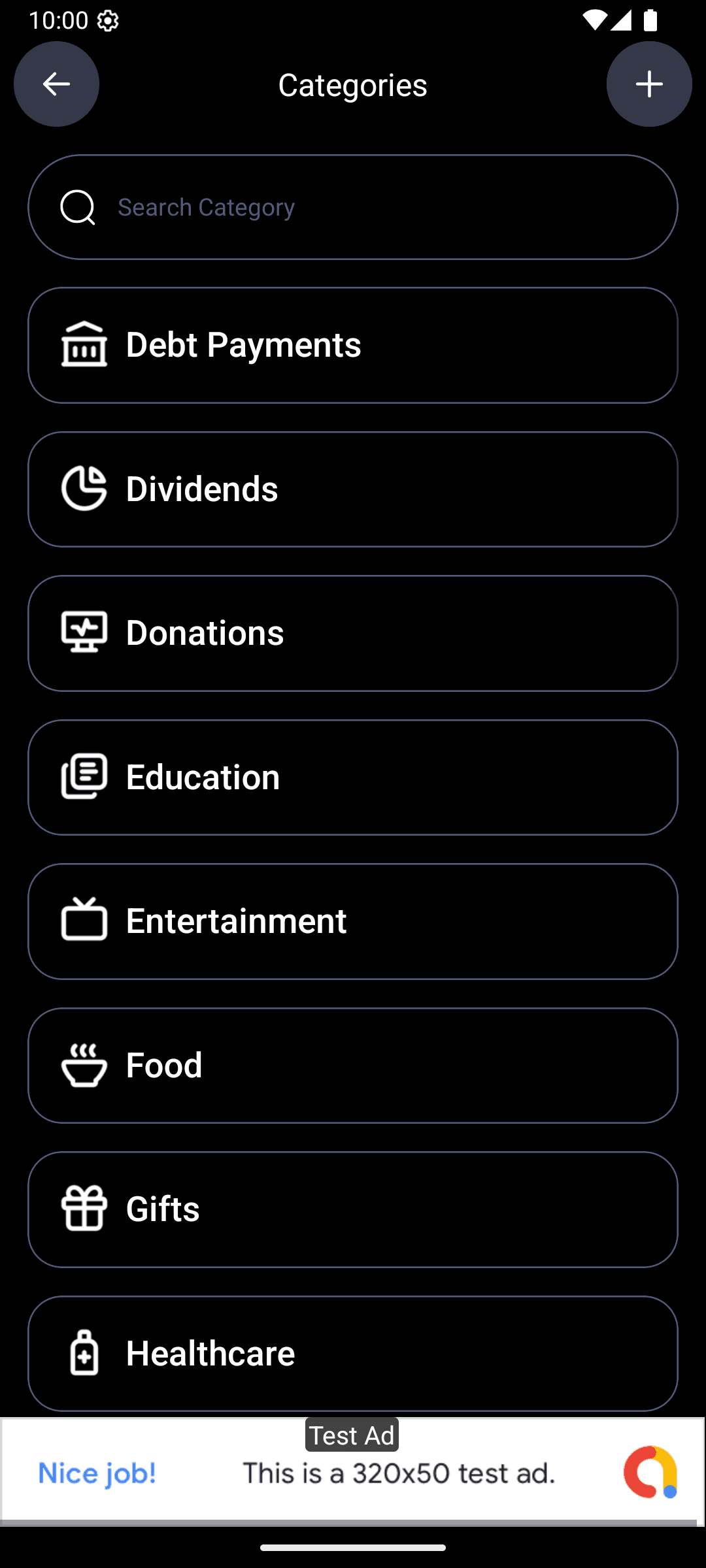
Name them clearly: "Car maintenance," "Auto insurance," "Christmas," "Travel," etc. Set the monthly budget to your calculated contribution.
- 4
Automate the transfer to a dedicated HYSA
On payday, move the total sinking-fund amount to a savings account that's separate from both checking and your emergency fund. Name it something like "Sinking Funds" or "Planned Expenses."
- 5
When an expense hits, pay from the fund
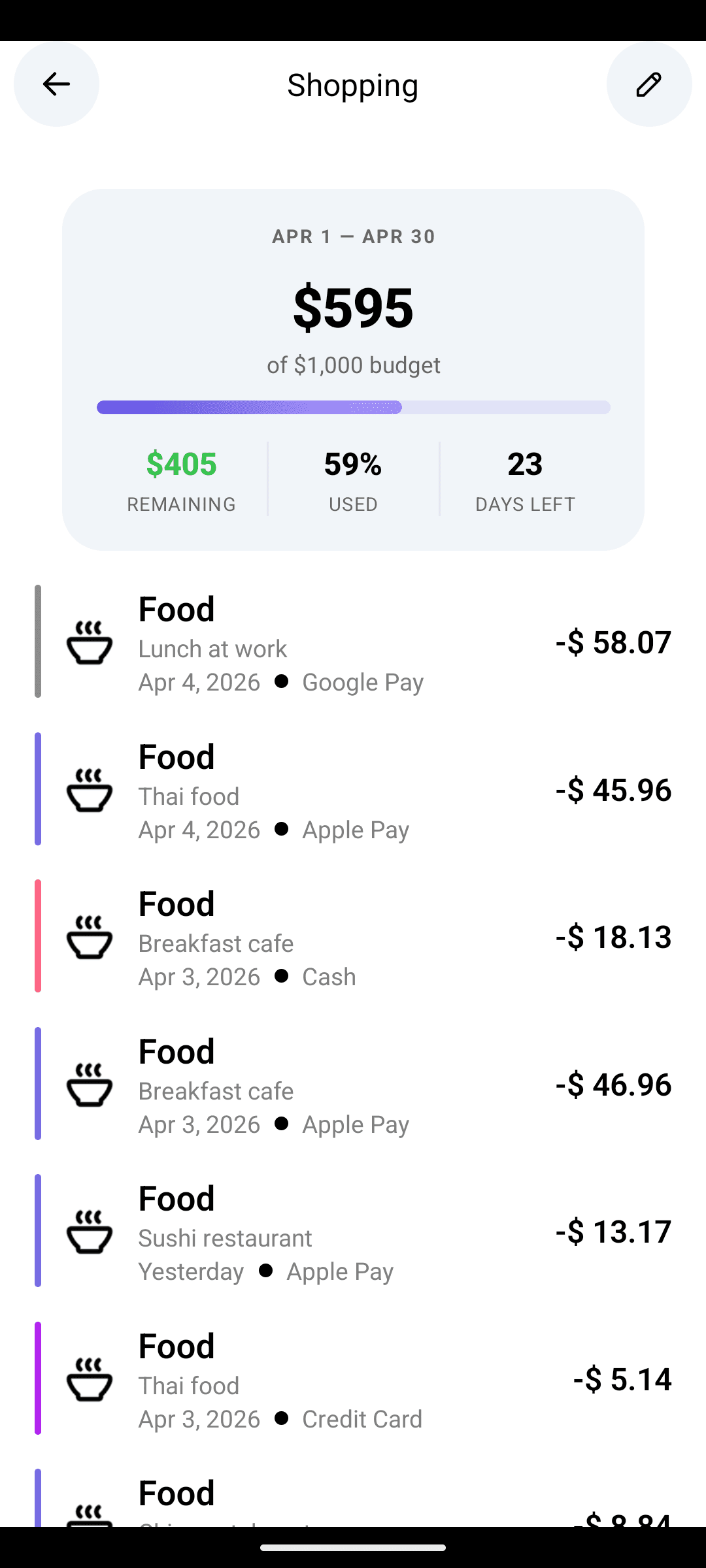
Oil change? Money comes from the HYSA, transferred to checking, paid. In CashFlow AI, the transaction auto-categorizes under "Car maintenance," draws down that category's balance, and the month continues without drama.
Where sinking funds live (the account question)
You have two reasonable structures. Either works — pick what fits your brain.
Single HYSA with virtual categories
- One account holds the total for all sinking funds
- Individual fund balances live in your budget app
- Simpler banking, more reliance on the app
- Works with any high-yield savings account
Sub-account HYSA (buckets)
- Bank supports named sub-accounts ("buckets")
- Each fund visible as a separate balance at the bank
- Harder to raid mentally — the buckets feel real
- Ally, Sofi, Capital One 360, Milli, Yotta, others
For most people the single-HYSA approach is easier. You trust your budget app to track the individual categories; the bank just holds the total. If you've raided sinking-fund money for non-sinking purposes in the past, the bucket approach adds helpful friction.
Seasonal pattern recognition
Sinking funds give you a second gift beyond the money itself: they surface seasonal spending patterns you never noticed.
After 6 months of running sinking funds, most people realize:
- Spring spikes on home/garden, taxes, and travel
- Summer spikes on travel, kids' activities, A/C repairs
- Fall spikes on school, heating prep, insurance renewals
- Winter spikes on holidays and seasonal illness
That pattern is the raw material for actually understanding your money over a full year. Most budget apps only show you the current month. CashFlow AI's analytics view shows you the full year — so you can see where the waves are.
Common failure modes
Too many micro-funds
If you have 30 sinking funds averaging $8/month each, you've made the budget harder without making it better. Consolidate. One "Annual subscriptions" fund beats 15 individual software funds. One "Home maintenance" fund beats separate funds for filters, gutters, paint, and lightbulbs.
Raiding the fund for non-sinking spending
The "Christmas fund" in August is tempting to tap for back-to-school shopping. Don't. The whole system works because the money is untouchable until the expense it was saved for arrives. If you need a separate "Back to school" fund, add one.
Not rolling over the leftover
If you budgeted $100/month for car repairs and the year ended with $1,000 unused, don't sweep it to checking. Let it accumulate — it's next year's head start on a bigger repair.
Ignoring the post-event math
After Christmas, look at what you actually spent. If you budgeted $1,200 and spent $1,600, raise next year's contribution to $133/month instead of $100. Sinking funds are iterative; the number gets better every year.
The emotional win
The practical benefit of sinking funds is obvious: no surprise expenses. The less-obvious benefit is the one people actually talk about after a year.
It's that money stops happening to you and starts being something you've already decided about.
Your car registration email arrives. You don't flinch — the money is there. Your parents' anniversary is coming up and you want to get them something nice. The fund has $180 in it. Decision made, no stress.
That's the shift. Sinking funds convert recurring low-grade financial anxiety into boring routine.
Stop being surprised by expenses you knew were coming.
Create category budgets that act as sinking funds. Free on Android.The three sinking funds to start with tonight
If you only set up three, make them these:
- Holidays + gifts — catches the biggest seasonal spike
- Car (maintenance + repairs + registration) — catches the most unpredictable category
- Insurance premiums (if any are non-monthly) — catches the biggest single bills
Start those three. Add more as you notice expenses that surprise you.
FAQ
See the FAQ block above.
Download CashFlow AI free on Android. For the AI that tracks your sinking fund balances against upcoming expenses, see Pro.
Related:
FAQ
What's the difference between a sinking fund and an emergency fund?+
Sinking funds cover expenses you know are coming — car insurance, holidays, annual subscriptions — just not in your normal monthly budget. Emergency funds cover things you can't predict. A car-registration renewal is a sinking fund. A transmission failure is an emergency. Sinking funds are planned; emergency funds are for shocks.
How many sinking funds should I have?+
Somewhere between 5 and 15 is typical. Start with the 3 or 4 largest irregular expenses (insurance premiums, holidays, car maintenance, travel) and add more only when you notice another expense that keeps blowing up your monthly budget. Too many micro-funds (under $10/month each) becomes admin without benefit.
Should sinking funds sit in checking or savings?+
A high-yield savings account, but separate from your emergency fund. Either a single HYSA with the sinking-fund total calculated in your app's categories, or several 'buckets' in a bank that supports sub-accounts (Ally, Capital One 360, Sofi, etc.). The key is that the money earns interest but is not mingled with your spending account.